Customers, time and history in one place
Create an account, pick a package, and the customer can sign in on any free PC.
- Search any customer by username
- Top-up, enable or disable an account in one click
- Full purchase history for every customer
Salinko Cafe Manager locks every customer PC until time is paid for, counts it down, and keeps every cedi on record. Sell time at the counter or let customers pay with mobile money right on the PC.
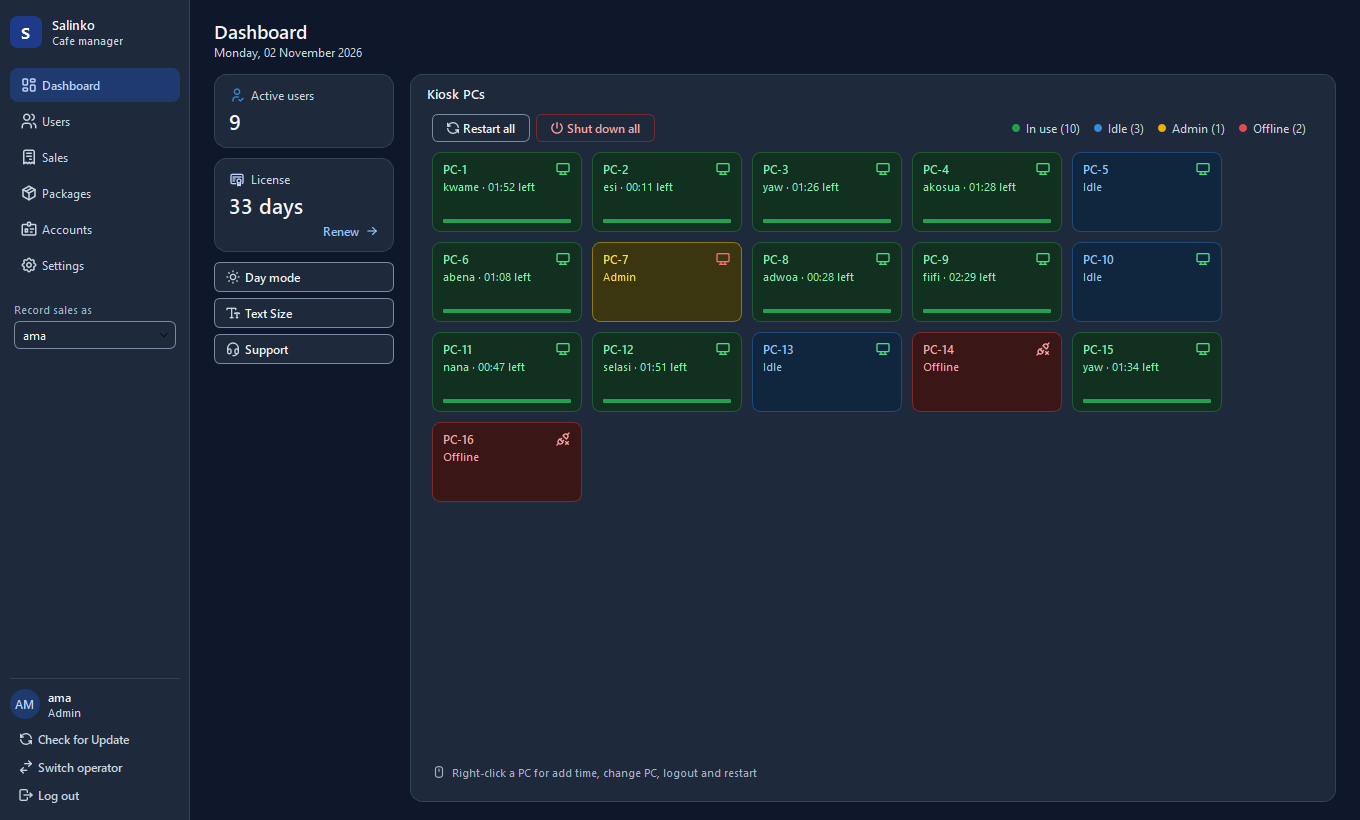
Built with cafe owners: simple enough for a new cashier, strict enough that no minute goes unpaid.
See every PC at a glance: in use, idle, admin or offline, who is on it and how much time is left.
Customer PCs stay locked until someone signs in with paid time, and lock again the second it runs out.
Set your own packages and prices. Top up a customer's time in two clicks, even while they play.
Customers buy time on the lock screen with MTN, Telecel or AirtelTigo MoMo. The PC unlocks when the payment lands.
Every sale and top-up is logged with the cashier's name. Filter by day, month or staff and export to PDF.
Each night you get the cash each cashier took, so you know what should be in the drawer without being there.
Restart, shut down or wake PCs from the counter, move a customer to another PC, or log them out.
Admins see everything; cashiers only sell and top up. Switch operator without closing the app.
Daily automatic backups with one-click restore, and Check for Update installs new versions for you.
The same setup file goes on every PC; it asks which one it is.
Pick "PC Manager", name your business and create your Admin login.
Pick "Lockscreen", then type the counter PC's address in the lock screen's Settings. The PC appears on the dashboard.
Set your prices, create customer accounts at the counter, or switch on mobile money so customers serve themselves.


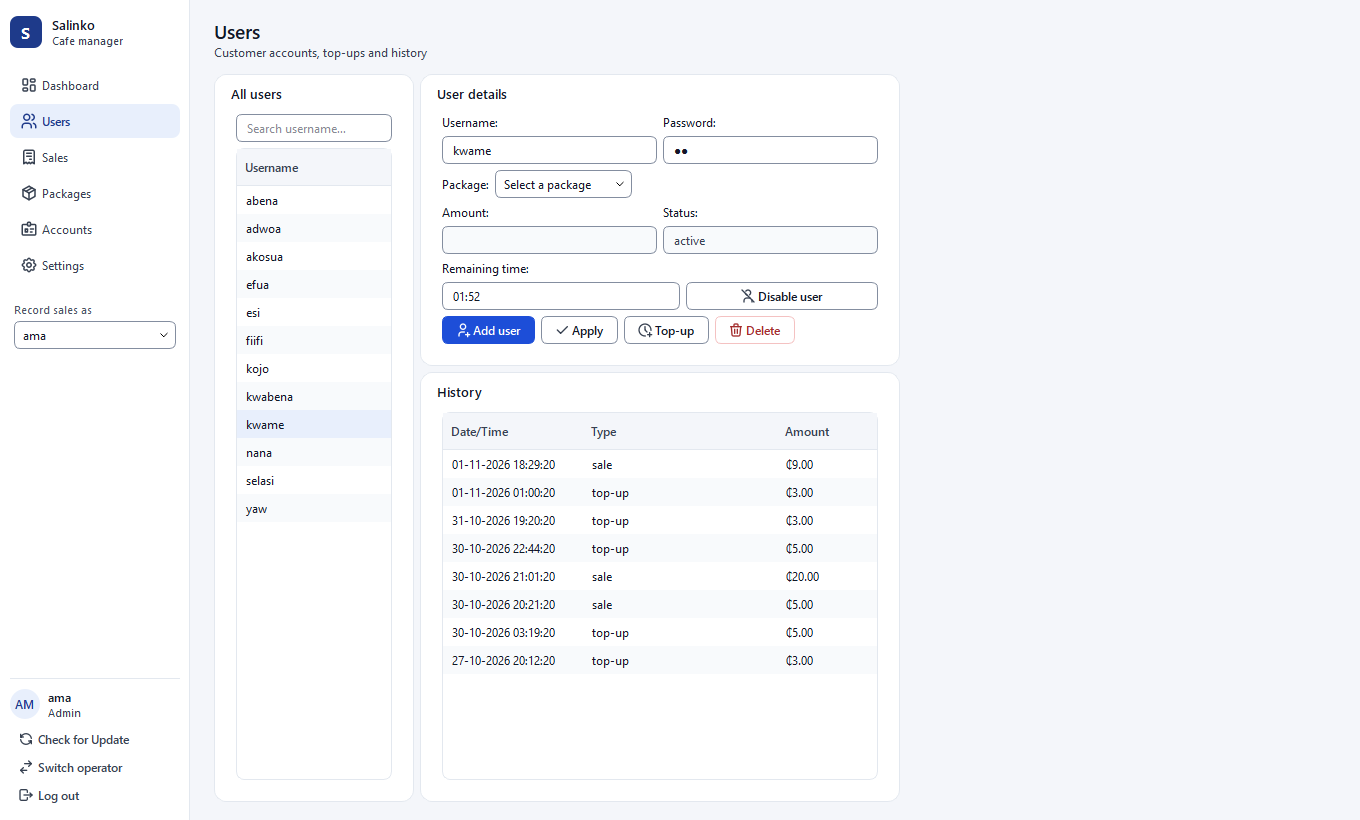
Create an account, pick a package, and the customer can sign in on any free PC.
Every transaction carries the time, the type and the staff member who took it.

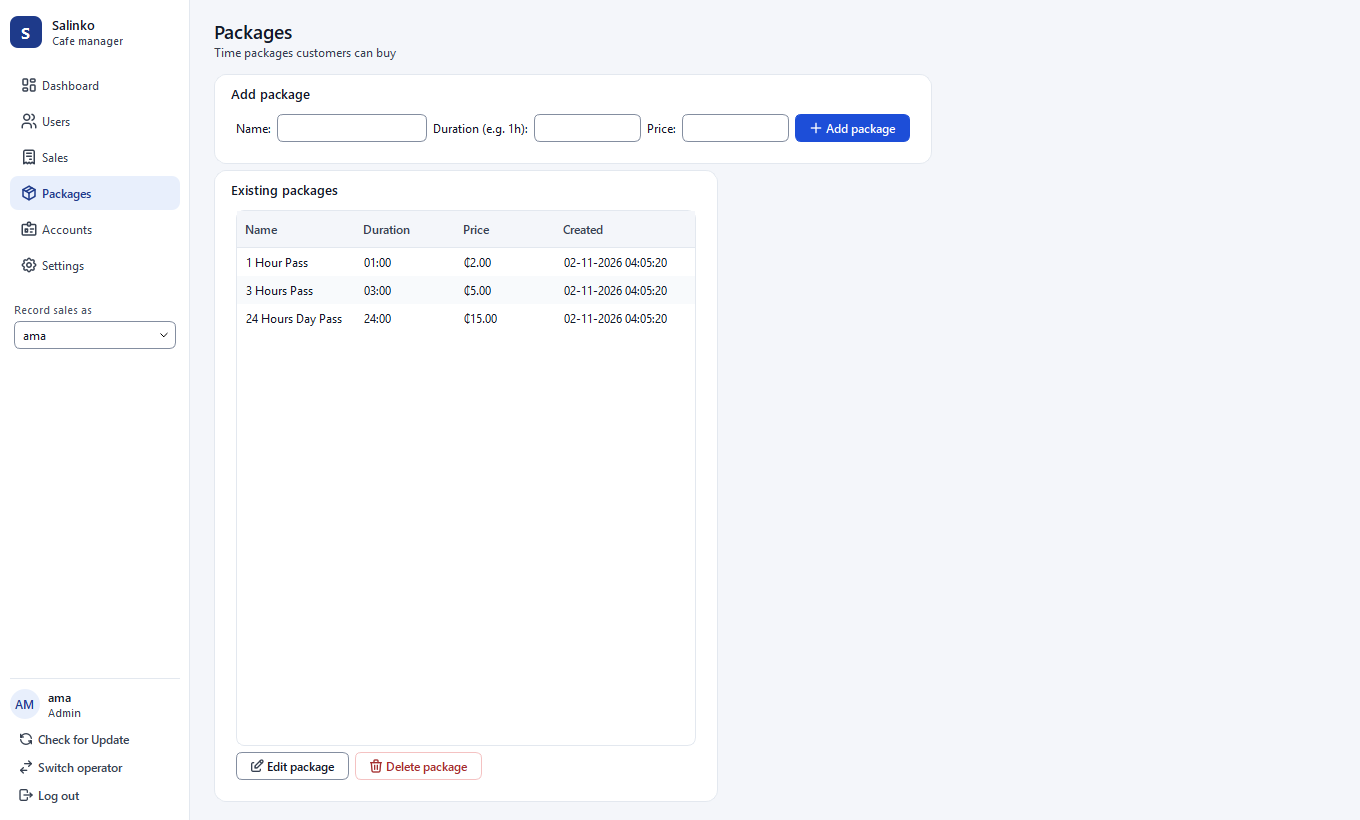
From a 30-minute pass to an all-night session: name it, set the hours and the price.
Night mode for the late shift, high-contrast text in both, and a text size slider for every screen.
No upfront cost. The license is 4% of the sales the app records in each 30-day period, paid with mobile money or card from inside the app. If the cafe makes nothing, you pay nothing.
Download the installer, put it on your counter PC and your customer PCs, and start selling time today.
Windows 10 or 11, 64-bit. Questions? salinkotec@gmail.com